Relation Navigation
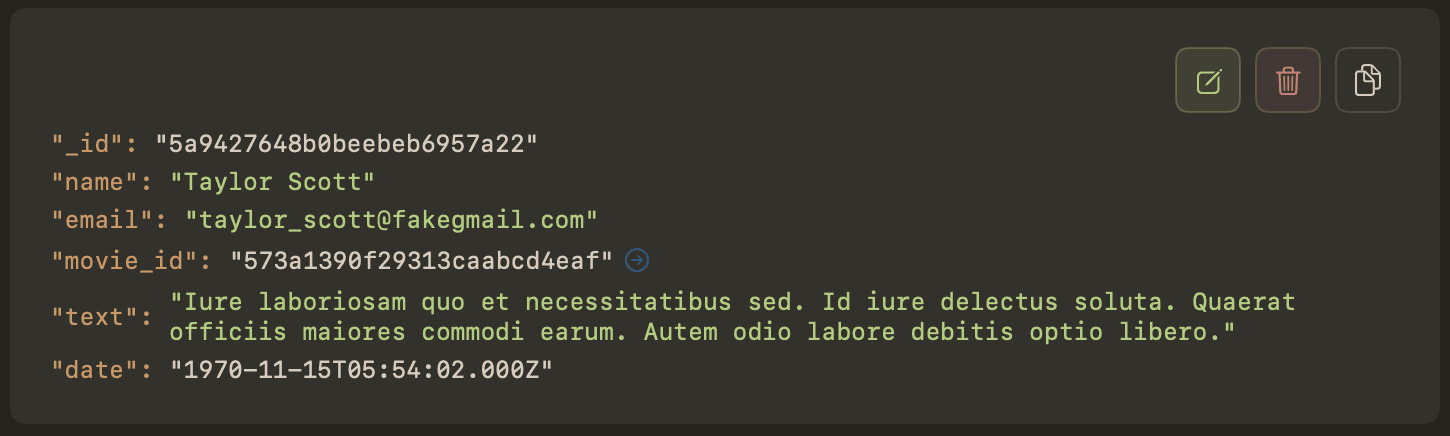
Every ObjectId in your documents becomes a clickable link. One click to open the referenced document. No manual lookups, no copy-pasting IDs, no switching tabs to run a second query.
The Problem
MongoDB doesn't have foreign keys or JOINs. When a document references another document by ObjectId, you have to copy the ID, switch to the target collection, and run a find query manually. Do this dozens of times a day and it adds up fast.
Most GUI tools treat ObjectIds as plain strings. You see the value but you can't do anything with it. Mongon takes a different approach.
One-Click Navigation
In Mongon, every ObjectId field is a link. Click it and the referenced document opens immediately. No query to write, no collection to select — Mongon handles it all.
Smart Collection Learning
The first time you click an ObjectId field, Mongon presents a collection picker. But it doesn't just list every collection alphabetically — it ranks them by how closely their name matches the field name using Levenshtein distance.
For example, a field named userId will rank the users collection at the top. A field named categoryId will suggest categories first.
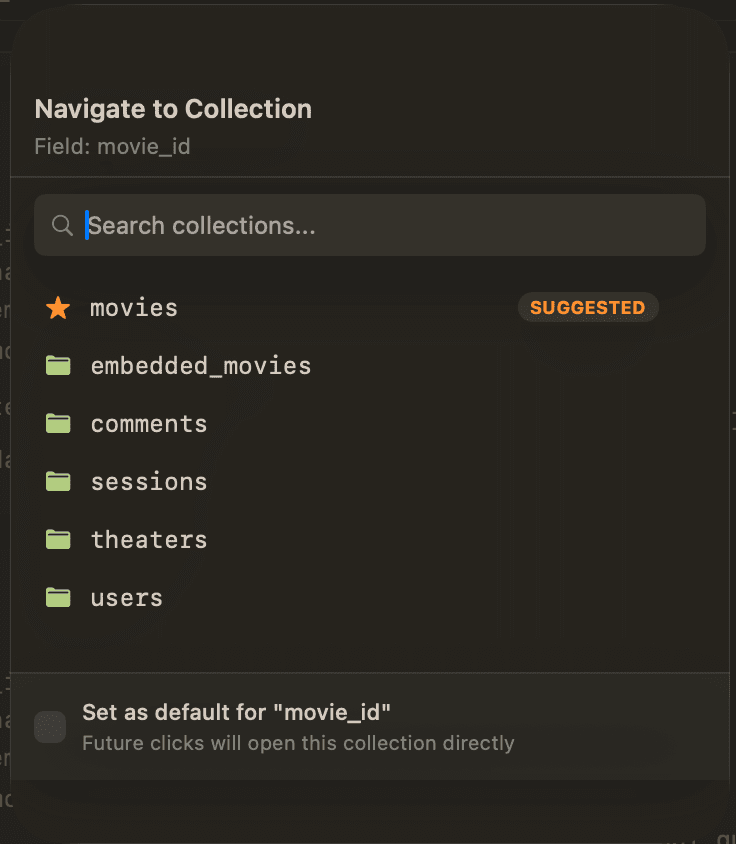
Once you confirm the mapping, Mongon remembers it. Every future navigation from that field is instant — no picker, no extra clicks.
How It Works
Click any ObjectId
Every ObjectId field in your documents is rendered as a clickable link. Hover to see the preview, click to navigate.
Mongon detects the target collection
The first time you click an ObjectId, Mongon shows a collection picker. It uses fuzzy matching with Levenshtein distance to suggest the most likely target collection based on the field name.
Set as default
After you confirm the target collection once, Mongon remembers the mapping. Every future click on the same field navigates instantly — no picker, no confirmation.
Follow the chain
The referenced document opens in a new tab. From there, you can click another ObjectId to go deeper. Follow user → order → product → category — each hop opens in its own tab.
Deep Linking Across Collections
Relation navigation isn't limited to a single hop. Once you open a referenced document, you can click another ObjectId inside it to go one level deeper. And then another. And another.
Each referenced document opens in its own tab, so you never lose your place. You can trace a full chain of references — from a user to their orders, from an order to its products, from a product to its category — all without writing a single query.
Set as Default
When Mongon shows the collection picker, you can choose a target and set it as the default for that field. From that point on, clicking any ObjectId in that field navigates directly — zero friction.
You can reset or change defaults at any time from the navigation sheet. If your schema evolves and a field starts pointing to a different collection, just update the mapping.
Why It Matters
- Faster debugging — trace a user's activity across collections in seconds
- Understand your data model — see how collections relate to each other by following references
- No query required — one click replaces copy-paste, collection switch, and manual find
- Works with any schema — Mongon doesn't require a schema definition or configuration file to detect references
Included in the Free Plan
Relation navigation is available to all Mongon users — free and premium. No feature gating, no trial limits. Every ObjectId is clickable from day one.