Date Macros
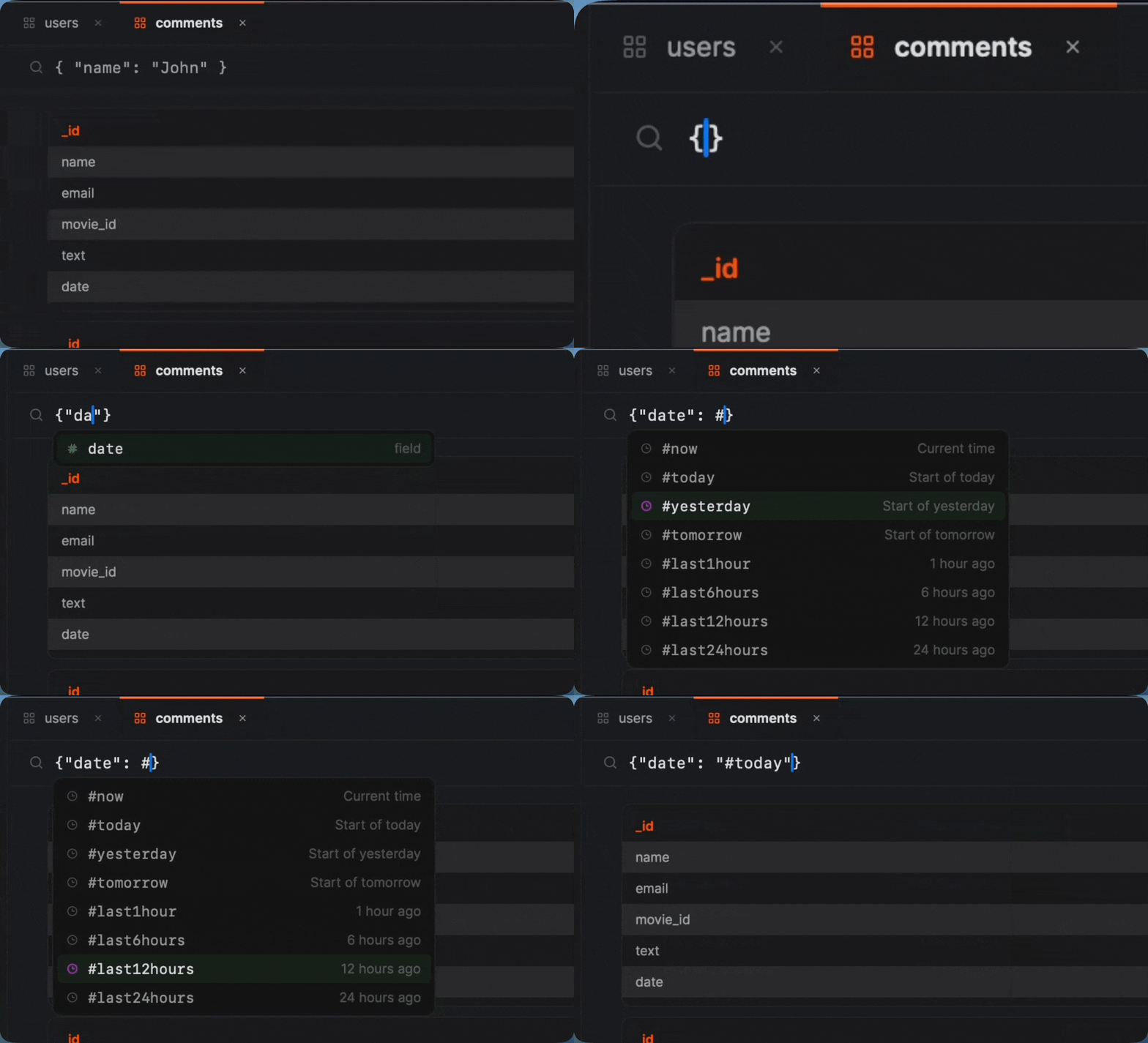
Type # in any query field and pick from 35+ date macros. They resolve to ISODate values at query time, so your queries always return fresh data without manual date math.
The Problem with Date Queries
Every MongoDB developer knows this workflow: open a date calculator, figure out the timestamp for 7 days ago, format it as an ISODate string, paste it into your query, and hope you didn't get the timezone wrong.
This date is hardcoded. Tomorrow you'll have to recalculate it. Next week it's completely wrong. You can't save this query and reuse it because the date is static.
The Solution: Type # and Go
With date macros, the same query becomes:
No date math. No ISODate formatting. No timezone confusion. The macro resolves to the correct ISODate value every time you run the query.
Before and After
See how date macros simplify common queries:
Orders from the last 30 days
Users created this month
Events from yesterday
All Available Macros
Mongon ships with 35+ date macros organized into five categories.
Relative Time
Go back a fixed amount of time from right now.
| Macro | Resolves to |
|---|---|
#last1hour | 1 hour ago |
#last24hours | 24 hours ago |
#last7days | Exactly 7 days ago |
#last30days | Exactly 30 days ago |
#last90days | Exactly 90 days ago |
#last1month | 1 calendar month ago |
#last3months | 3 calendar months ago |
#last6months | 6 calendar months ago |
#last1year | 1 calendar year ago |
Named Days
Common day references that resolve to midnight boundaries.
| Macro | Resolves to |
|---|---|
#now | Current date and time |
#today | Start of today (00:00:00) |
#yesterday | Start of yesterday (00:00:00) |
#tomorrow | Start of tomorrow (00:00:00) |
Start of Period
Jump to the beginning of a calendar period.
| Macro | Resolves to |
|---|---|
#startOfDay | Start of today (00:00:00) |
#startOfWeek | Start of current week (Monday) |
#startOfMonth | First day of current month |
#startOfQuarter | First day of current quarter |
#startOfYear | January 1 of current year |
End of Period
Jump to the last moment of a calendar period.
| Macro | Resolves to |
|---|---|
#endOfDay | End of today (23:59:59.999) |
#endOfWeek | End of current week (Sunday) |
#endOfMonth | Last moment of current month |
#endOfQuarter | Last moment of current quarter |
#endOfYear | December 31 23:59:59 of current year |
Previous Period
Reference the start of the previous calendar period.
| Macro | Resolves to |
|---|---|
#startOfLastWeek | Start of last week |
#startOfLastMonth | First day of last month |
#startOfLastQuarter | First day of last quarter |
#startOfLastYear | January 1 of last year |
#endOfLastWeek | End of last week |
#endOfLastMonth | Last moment of last month |
#endOfLastQuarter | Last moment of last quarter |
#endOfLastYear | Last moment of last year |
Works Everywhere
Date macros aren't limited to the filter field. You can use them in:
- Filters — find documents created in the last week, month, or year
- Aggregation pipelines — use in $match, $addFields, or any stage that accepts date values
- Projections — compute date differences on the fly
- Saved queries — save a query with
#last24hoursand it always returns fresh data
Always Relative, Never Stale
Macros evaluate at query time, not when you type them. A saved query with #last30days will always return the last 30 days of data, no matter when you run it. No more updating hardcoded dates every morning.
This makes macros perfect for dashboards, monitoring queries, and any workflow where you revisit the same query regularly.
Autocomplete Built In
You don't need to memorize any macro names. Type # in any query field and the autocomplete dropdown appears instantly. Scroll through the list, type a few characters to filter, and press Enter to insert.
Included in the Free Plan
All 35+ date macros are available on the free plan. No premium upgrade required. Every Mongon user gets the full macro library from day one.