MongoDB Date Queries Made Easy with Date Macros
If you've ever written a MongoDB date query, you know the pain: calculating timestamps, formatting ISODate strings, and constantly checking whether your date math is correct. Date macros solve this.
The Problem with Date Queries
Querying documents by date in MongoDB typically looks like this:
Every time you run this query, you need to recalculate the date. What was the date 7 days ago? 30 days? The start of this month? It adds up to a lot of mental math and wasted time.
Date Macros: Type # and Go
Mongon introduces date macros — shortcuts that resolve to the correct ISODate value at query time. Instead of calculating dates manually, you type # and pick from an autocomplete list:
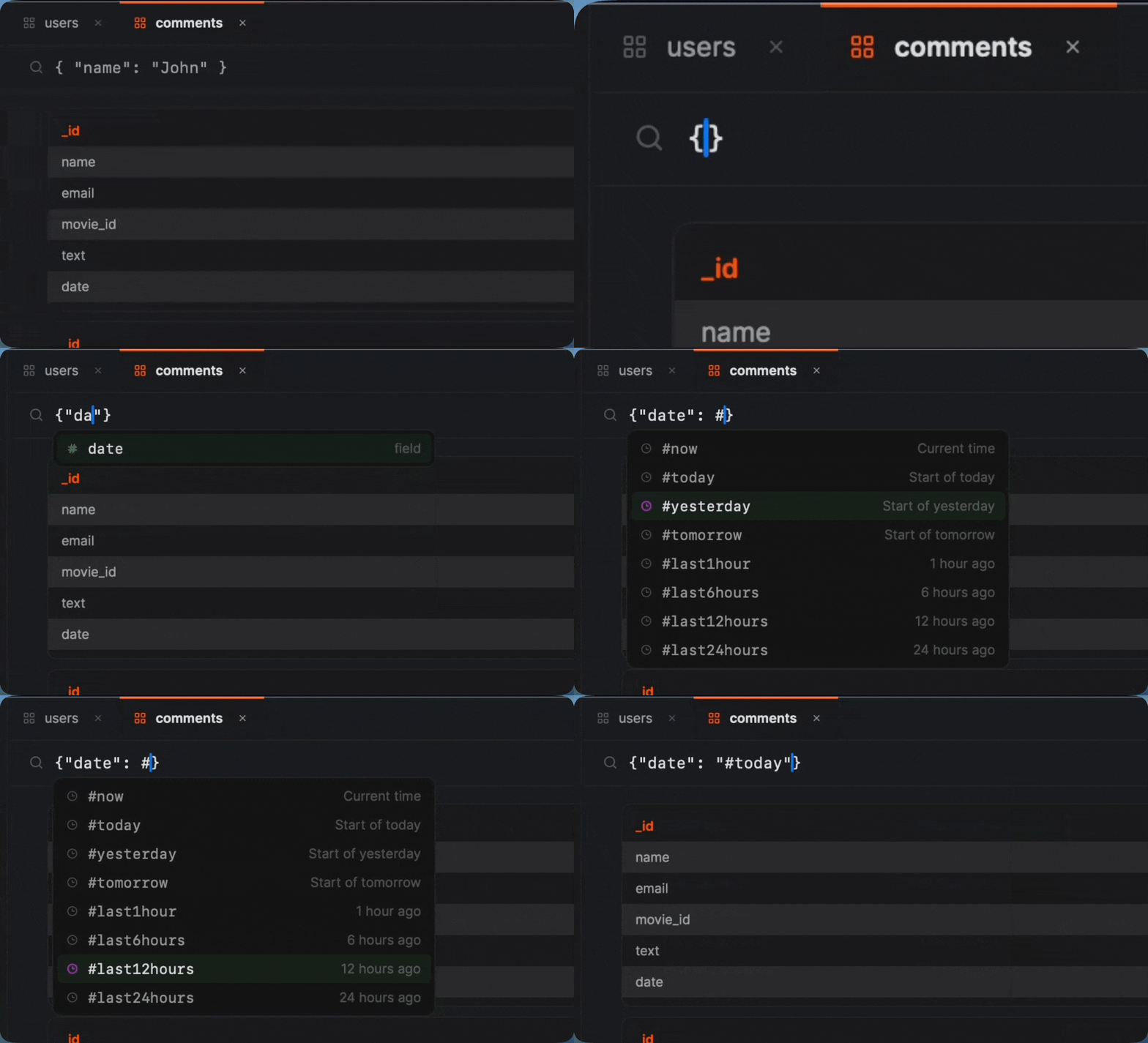
The same query becomes:
No date math. No ISODate formatting. It just works.
Available Macros
Mongon includes 35+ date macros. Here are some examples:
| Macro | Resolves to |
|---|---|
#today | Start of today (00:00:00) |
#yesterday | Start of yesterday |
#last7days | Exactly 7 days ago |
#last30days | Exactly 30 days ago |
#last1month | 1 month ago |
#startOfMonth | First day of current month |
#startOfYear | January 1 of current year |
#endOfMonth | Last moment of current month |
#endOfToday | End of today (23:59:59) |
#last1year | 1 year ago |
Works Everywhere
Date macros aren't limited to the filter field. They work in:
- Filters — find documents created in the last week
- Aggregation pipelines — use in $match, $addFields, or any stage that accepts dates. See our aggregation pipeline guide
- Projections — compute date differences on the fly
- Saved queries — save a query with
#last24hoursand it always returns fresh data
Always Relative
Macros evaluate at query time, not when you write them. A saved query with #last30days will always return the last 30 days of data, no matter when you run it. No more updating hardcoded dates every morning.